37. MU Helper System
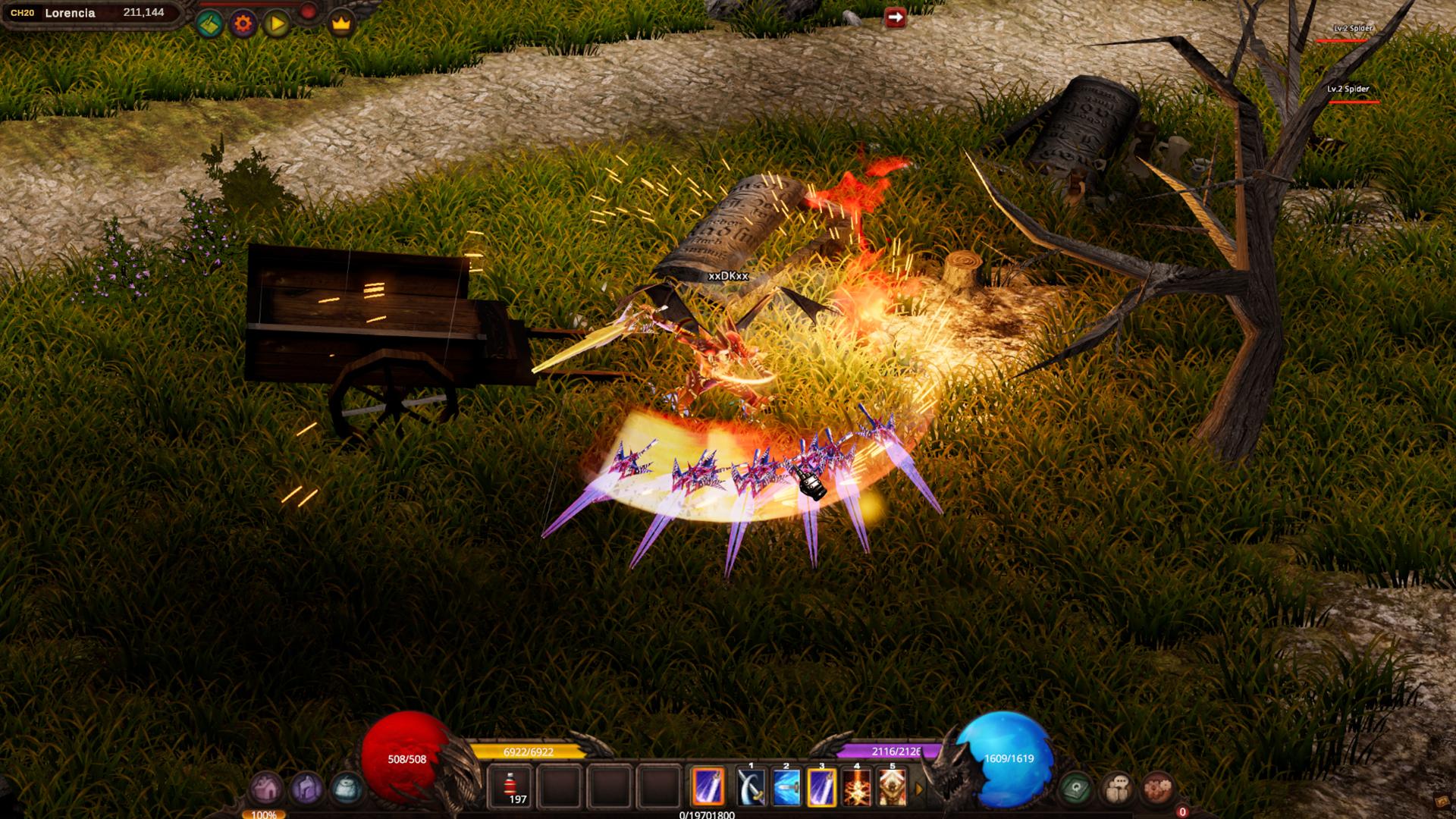
MU Helper is MU MAX Age's built-in automated hunting system, allowing characters to automatically attack monsters, collect items, consume potions, cast buff skills, and use combat skills based on player-defined settings. The system provides a convenient way to level characters and farm items over extended periods.
Players can open the MU Helper interface by pressing the Z key.
Usage Requirements (Alpha Test)
During the Alpha Test, MU Helper is available to:
- Characters Level 10 and above
MU Helper Interface
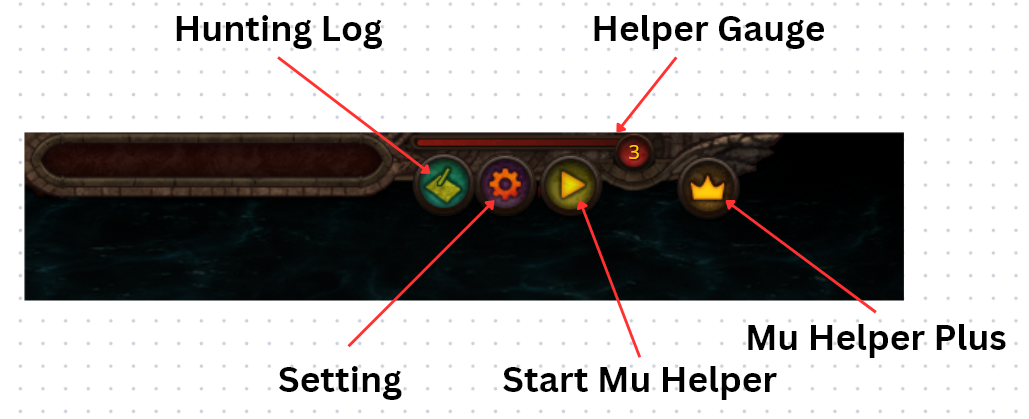
The MU Helper interface consists of the following components:
| Component | Description |
|---|---|
| Hunting Log | Displays MU Helper usage statistics and session information. |
| Setting | Configure combat, skills, potions, and item collection. |
| Start MU Helper | Starts or stops MU Helper. |
| Helper Gauge | Determines Zen consumption and EXP/Drop Rate modifiers while MU Helper is active. |
| MU Helper Plus | Future feature. Not available during the Alpha Test. |
Battle Settings
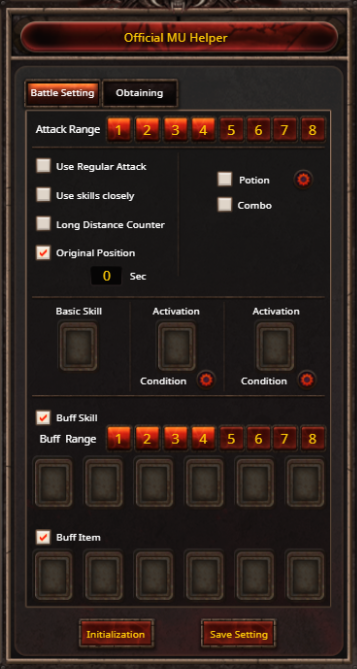
The Battle Settings menu allows players to configure MU Helper's combat behavior.

Attack Range
Determines the radius in which MU Helper searches for and attacks monsters, centered on the location where MU Helper was activated.

Use Regular Attack
When enabled, the character performs normal attacks whenever skills cannot be used, such as when mana is insufficient, AG is insufficient, or no combat skill has been configured.

Use Skills Closely
Forces the character to move into melee range before casting the selected skill, even if the skill is normally a ranged attack.

Long Distance Counter
If the character is attacked by a ranged monster located outside the configured hunting radius, MU Helper will retaliate after defeating its current target.
Original Position
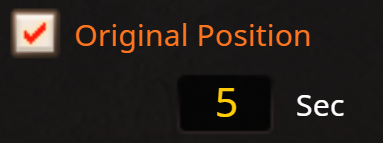
Returns the character to the original activation point after a configurable period of inactivity, up to 99 seconds.
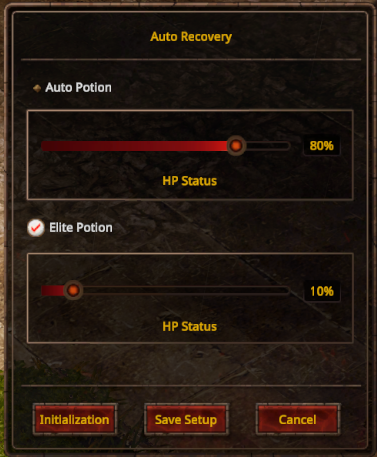
Auto Potion

Players may configure MU Helper to automatically consume recovery items once HP falls below a specified percentage.
MU Helper always prioritizes the highest-tier recovery item available in the inventory.
Priority order:
-
Large Healing Potion
-
Healing Potion
-
Small Healing Potion
-
Apple
Elite Healing Potions can be configured independently from standard healing items.
For example:
-
Use normal potions when HP falls below 80%.
-
Use Elite Healing Potions when HP falls below 10%.
Skill Settings
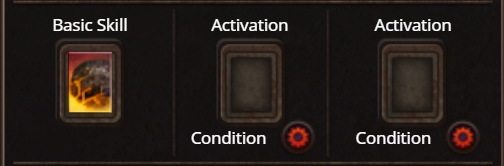
MU Helper can use any skill assigned to the character's Hotkey Bar (1–0).
Basic Skills
The Basic Skill serves as the character's default attack whenever no higher-priority conditions are met.
Activation Skills
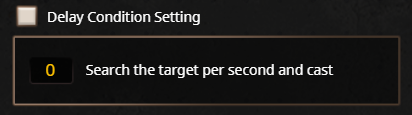
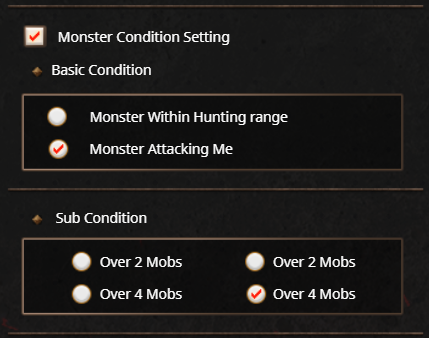
Additional skills can be configured to activate under specific conditions, including:
-
At a specified time interval.
-
When a certain number of monsters are nearby.
-
When monsters are actively attacking the player.
-
When 2–5 or more monsters are detected.
Buff Skills
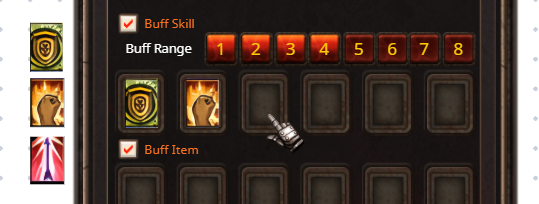
MU Helper can automatically cast buff skills on both the player and party members.
Buff Skills are automatically recast whenever their effects expire and always take priority over offensive actions.
Players may configure a Buff Range between 1 and 8 tiles, determining how far MU Helper will search for party members to buff.
Item Buffs
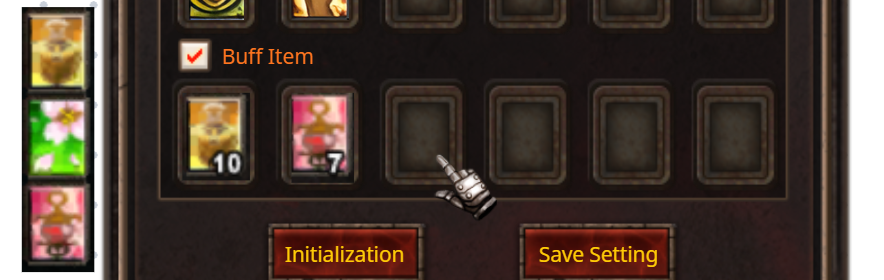
MU Helper can automatically consume Consumable Buff Items.
Whenever a configured buff expires, MU Helper automatically consumes another matching item from the inventory.
Existing buffs are never overwritten before their duration expires.

Fairy Elf Auto Heal
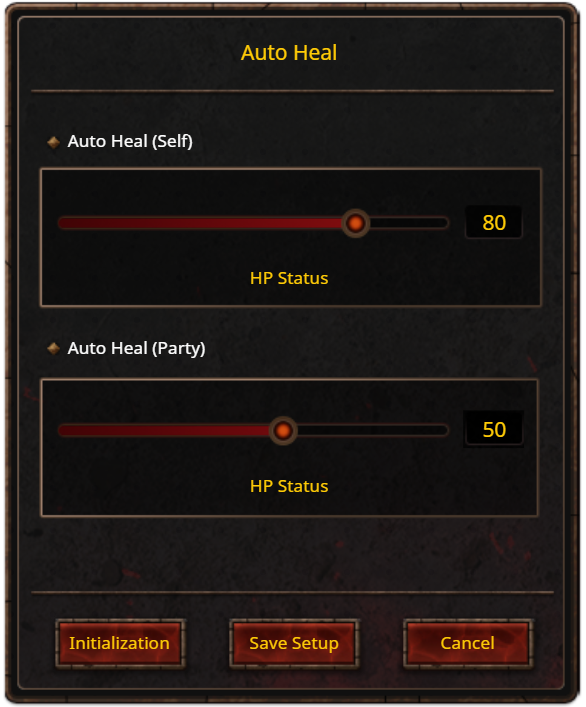
The Fairy Elf receives an additional Auto Heal configuration menu.
Players may configure automatic healing for:
-
The character itself when HP falls below a specified threshold.
-
Party members when their HP falls below a specified threshold.
This allows Fairy Elf characters to perform their support role efficiently while MU Helper is active.
Item Collection Settings
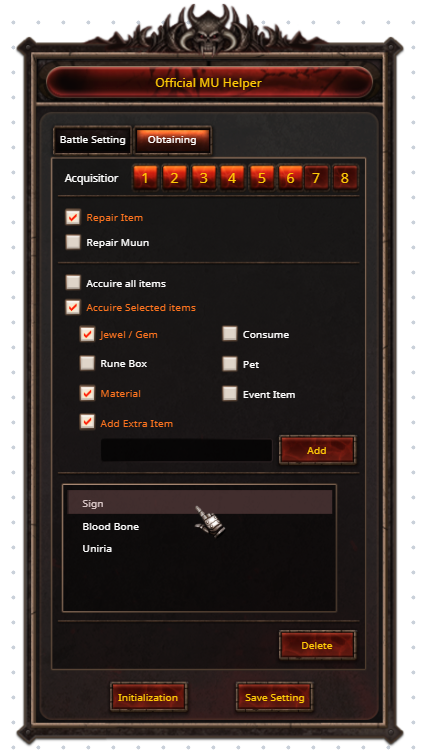
The Obtaining menu controls MU Helper's item collection behavior.
Acquisition Range
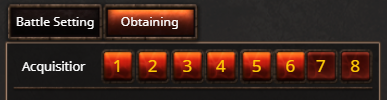
Determines the pickup radius between 1 and 8 tiles, independently of the combat radius.

Auto Repair Equipment
When enabled, MU Helper automatically repairs equipment whose durability falls below 50%, using Zen as the repair cost.

Auto Repair Muun
When enabled, MU Helper automatically restores a Muun whose Life reaches 0, consuming 1 Jewel of Life from the inventory.
Item Pickup Options
Players may choose one of two item collection modes.
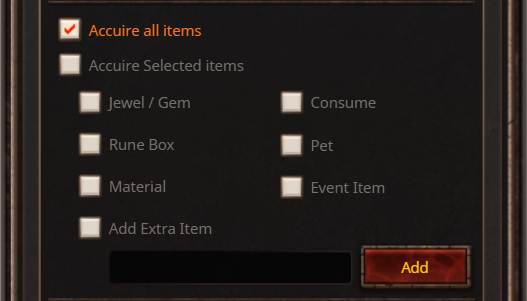
Acquire All Items
Collects every item dropped within the configured pickup radius.
If an item cannot be picked up, MU Helper will not repeatedly attempt to collect it.
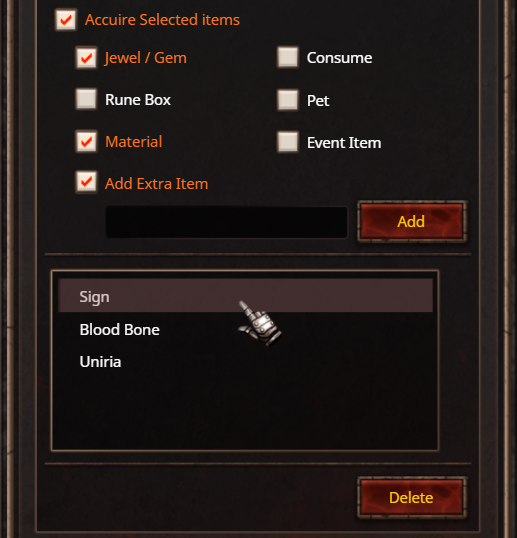
Acquire Selected Items
Collects only items belonging to selected categories, including:
-
Jewel / Gem
-
Rune Box
-
Material
-
Consumable
-
Pet
-
Event Item
Extra Item Name Filter
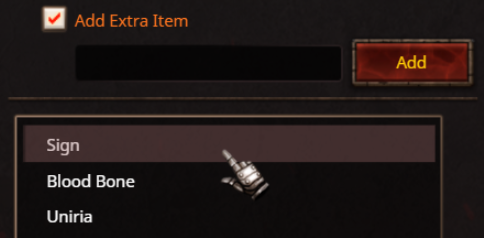
Players may define custom keywords to further refine item collection.
For example, entering the keyword "Sign" causes MU Helper to collect any item whose name contains the word Sign, such as Sign of Lord.
This feature allows players to customize their pickup preferences beyond the standard item categories.
Starting MU Helper
MU Helper can be activated by pressing the Home key or clicking the Middle Mouse Button.
Once activated:
-
The configured hunting radius is displayed.
-
The Mini Hunting Log automatically appears.
-
MU Helper begins operating immediately.
While active, MU Helper deducts Zen every 5 minutes.
Helper Gauge
The Helper Gauge determines both the Zen maintenance cost and the EXP/Drop Rate modifiers while MU Helper is active.
The Helper Gauge has five levels.
-
Each Gauge Level lasts approximately 2 hours.
-
Once Gauge Level 5 is reached, it remains at Level 5 until the daily reset.
-
The Helper Gauge resets to Level 1 every day at the server reset.
Zen consumption is calculated using the following formula:
Character Level x 40 x (Gauge / 2)
The calculated Zen cost is deducted automatically every 5 minutes while MU Helper remains active.