15. Warp System
The Warp System allows players to move between maps quickly, without the need to travel manually across the game world.
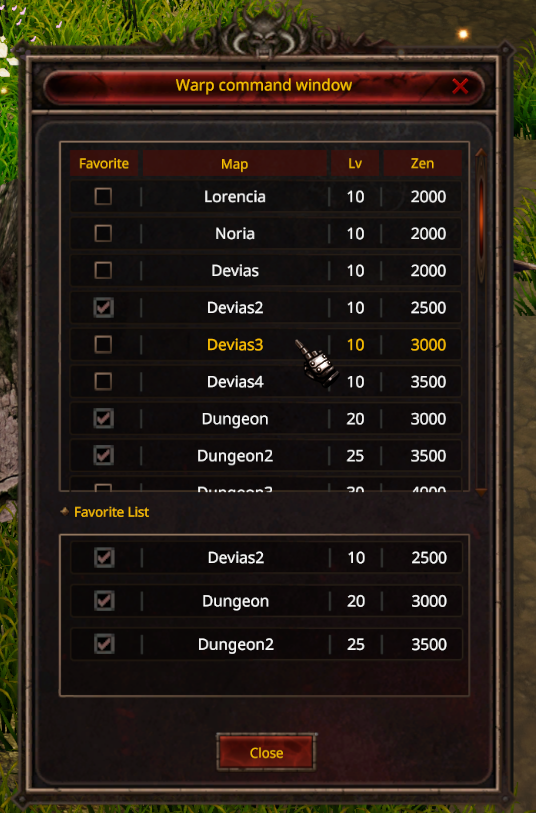
Press M to open the Warp Command Window.
Warp Command Window
The Warp window displays key information:
-
Map — Name of the destination map
-
Lv — Minimum character level required to Warp
-
Zen — Zen cost required for the Warp
-
Favorite — Mark frequently used maps for quick access
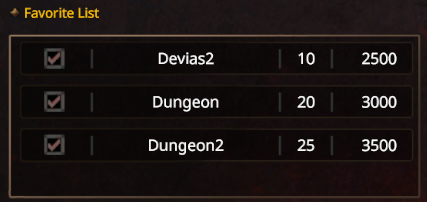
Favorite List
Players may mark any map as a Favorite to save it to a quick-access list, making it easier to return to frequently used destinations without searching through the full map list.
Warp Requirement
Warping to a map requires meeting its specified conditions, such as minimum level and Zen cost. If either requirement is not met, the Warp cannot be executed and the player will need to fulfill the conditions before traveling to that map.